
1 How to Convert KrutiDev Text in Excel Online
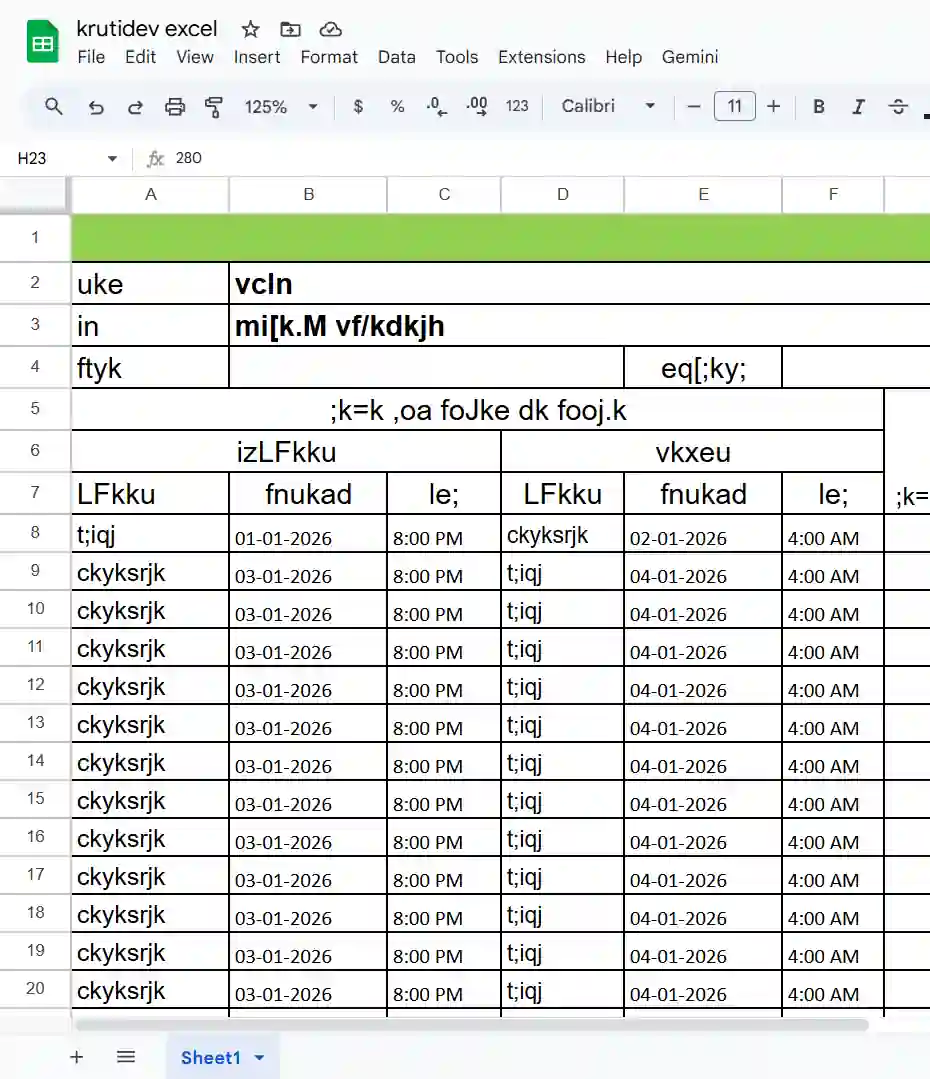
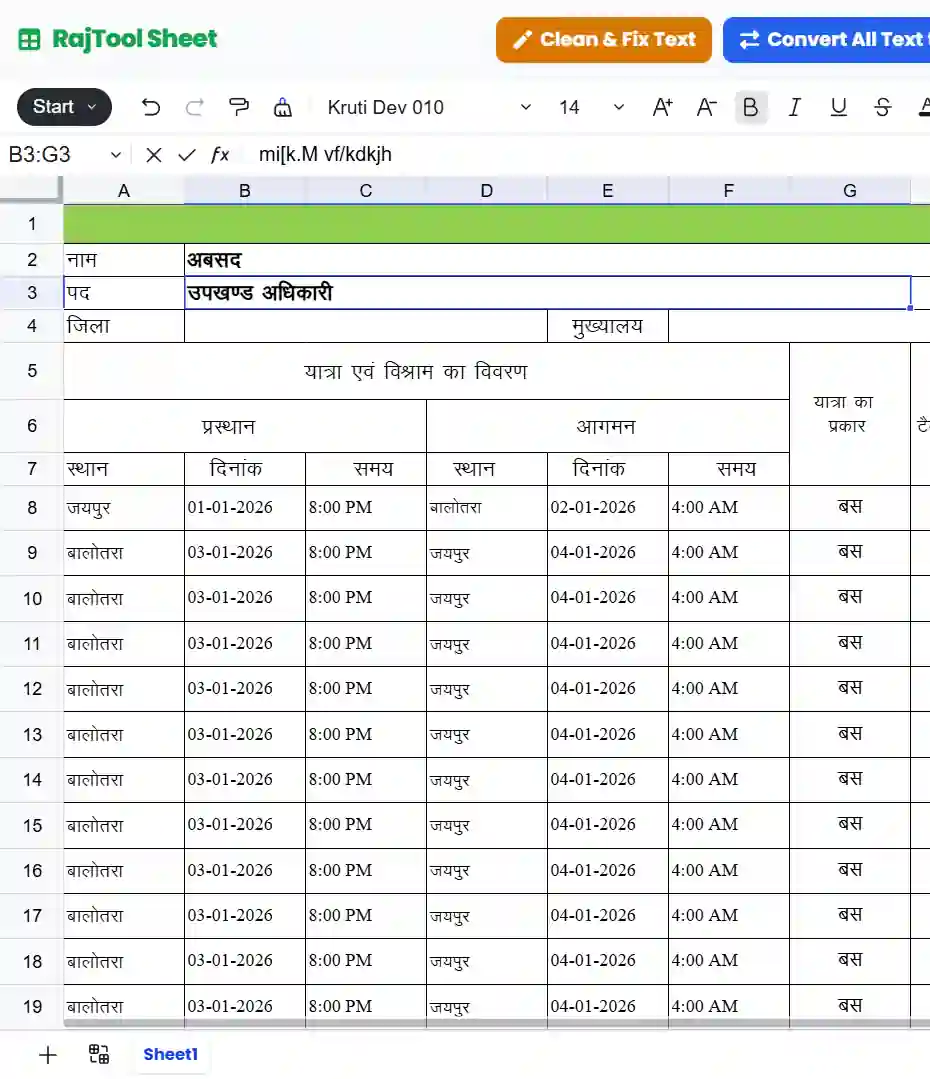
Many users struggle when they receive government data or old files created with legacy fonts. When you open these files on a modern computer or upload them to Google Sheets, the text looks like garbage characters (e.g., "lkekU; ç'kklu" instead of "सामान्य प्रशासन"). Our tool solves this by converting the legacy encoding to purely universal Unicode text.
Step 1: Open Your Excel File
Option 1 (Direct Upload): Click the Upload File button to open your .xlsx or .xls file directly.
Option 2 (Copy-Paste): Click Open Converter if you want to copy-paste Data from another window.
Step 2: Convert & Save
Click the Blue "Convert All Text" button to convert everything in the sheet to Unicode.
If you only want to convert KrutiDev/Devlys font text (keeping English intact) from excel sheet, click the Green "KrutiDev/Devlys to Unicode" button.
Once fixed, click Export Excel to save your ready-to-use Unicode Excel file.
Pro Tip: Excel Unicode Converter
You don't need to convert the whole sheet. You can copy just the specific KrutiDev cells, paste them into our Hindi Excel Editor, convert them, and copy them back. This is the fastest way to convert excel to unicode without altering your original file layout layout significantly.
Looking for simple text conversion? Use our KrutiDev to Unicode text converter.
Powerful Features for Office Work
Clean & Fix Text
Remove unwanted trailing spaces and tabs often found in government reports. Fixing these spaces is crucial before converting to Unicode and applying Excel formulas.
Detect & Convert Mixed
Our smart mode acts as an intelligent excel unicode converter. It detects KrutiDev glyphs while leaving English numbers and names untouched, saving you hours of manual separation.
Export Options
Download as .xlsx to open in other spreadsheet software like MS Excel or Google Sheets. You can also copy the converted data and paste it into other applications.
Preserve Formatting
Unlike simple text converters, our krutidev to unicode excel file converter respects your cell colors, merged cells, borders and font sizes.
Why Convert Excel to Unicode?
The Problem: Legacy fonts like KrutiDev 010 (Remington) map Hindi characters to standard English keyboard keys. For example, typing 'd' produces 'क'. Inside the computer, the file still only saves the letter 'd'. It only looks like Hindi because you have the font installed. If you send this file to someone without the font (or upload to web), they see 'd', not 'क'.
The Solution (Unicode): Unicode assigns a unique, universal code to every Hindi character. When you use our tool to convert kruti dev excel file to unicode, we replace the mapping chars (like 'd') with the actual Hindi byte code for 'क'. This ensures the text reads correctly on iPhones, Androids, Mac, Linux, and the Web without any font installation.
Comparing Conversion Methods
| Feature | RajTool Converter | Simple Text Tools | Offline Macros |
|---|---|---|---|
| Excel File Support | ✔ Direct .XLSX | ✘ Copy-Paste Text Only | ⚠ Requires Setup |
| Formatting Preservation | ✔ Yes | ✘ Lost | ✔ Yes |
| Device Support | ✔ Mobile & PC | ✔ Mobile & PC | ✘ PC Only |
| Unicode Accuracy | ✔ 99.9% (Smart) | ⚠ Basic | ✔ Good |
Unicode Converter MS Excel Add-in
Convert KrutiDev cells directly inside Microsoft Excel without breaking your sheet's formatting.
Installation Steps
Open Microsoft Excel
Go to Home tab → Add-ins group → Search “Unicode Converter” and click Add (free)
Select any KrutiDev/DevLys cells in your sheet
Click “Convert Selected Text” button
Get clean, searchable, modern Hindi (Devanagari) text instantly – without any formatting break!
One-Click Native Conversion
Easily select KrutiDev cells within your Excel spreadsheet and click "Convert Selected String" to instantly replace it with perfect Unicode Hindi.
Full Sheet Conversion
Under Development
Real-Time Editor
Includes a built-in scratchpad task pane if you need to paste text, convert it, and make manual edits before inserting it back into your cells.
Recommended Workflow
If you are a DTP operator or data entry clerk moving to modern systems, follow this path to convert kruti dev excel sheet to unicode (or vice versa):
- Prepare Source: Gather all your KrutiDev 010 encoded Excel files in one folder.
- Import File : Open RajTool Sheet and import a file. Check if columns are aligned.
- Verify: Ensure that English numbers (e.g., Dates, Phone numbers) are not garbled. Our tool protects these by default.
- Transform: Apply the conversion. The font may change to Mangal or Nirmala UI on your screen. This is normal.
- Final Output: Export as XLSX. You can now open this file in Google Sheets on your phone or laptop.
Frequently Asked Questions
Common queries about Excel Unicode conversion
Can I convert excel unicode to text format?
Yes. You can Export as Excel (.xlsx) and then save as CSV using Microsoft Excel. Alternatively, simply Copy your converted data directly from RajTool and Paste it into Notepad.
Is this excel to unicode converter online free?
Yes, RajTool is completely free. We support the community of Hindi typists and clerks.
How to convert KrutiDev to Mangal font in Excel?
Mangal remains a popular Unicode font. When you use our converter, the text becomes standard Unicode, which displays perfectly in Mangal, Arial Unicode, or any modern Hindi font automatically.
Does it support English to KrutiDev converter in Excel?
Currently, we specialize in KrutiDev to Unicode. For reverse conversion, we recommend using our dedicated KrutiDev Converter text tool and pasting the result back.
Why does my file formatting sometimes shift?
Complex merged headers sometimes cause alignment issues in web parsers. Try unmerging critical cells before uploading if you face issues, though our engine handles most cases.
Can I open old Hindi Excel files online?
Absolutely. RajTool is one of the few places where you can open legacy Hindi files without installing any fonts on your machine.
What if I have a password protected file?
For security, we do not decrypt password-protected files. Please remove the password in your desktop Excel before uploading.
How large of a file can I upload?
We recommend files under 10MB or 50,000 rows for optimal browser performance.
